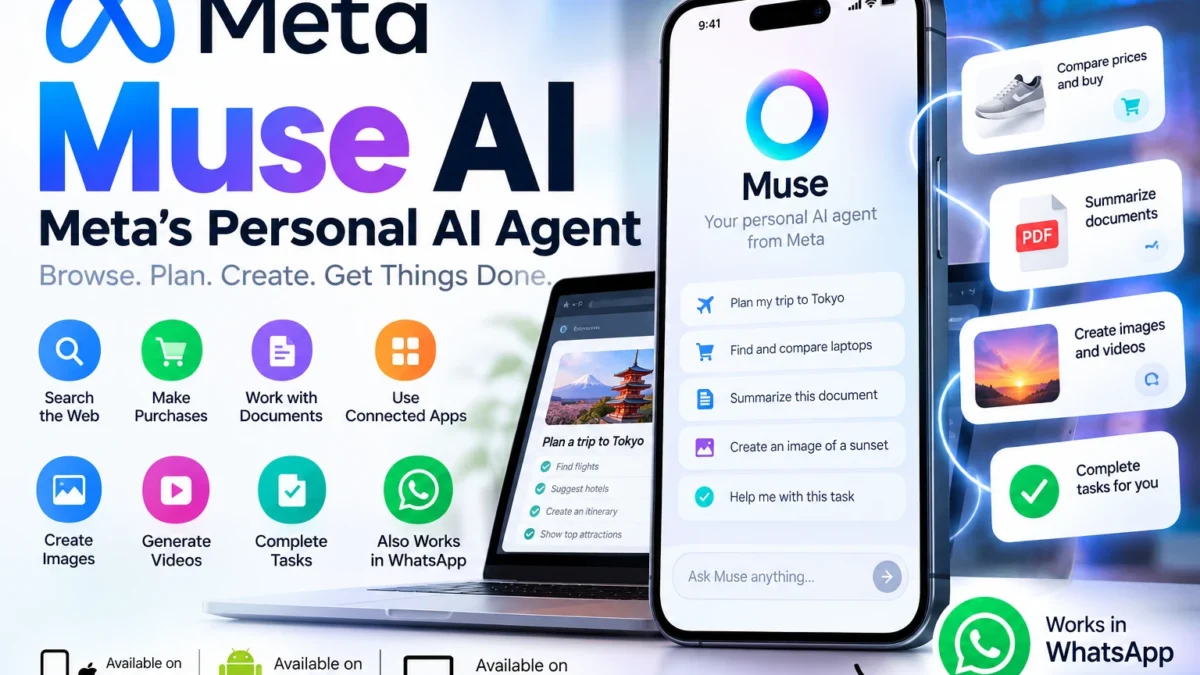
Meta introduced Muse on September 8, 2026 as a personal AI agent designed to do more than answer questions. Instead of stopping at advice or generated text, Muse can use its own browser, work with connected apps and services, and carry out multi-step tasks on a person’s behalf.
That puts Muse in a growing category of agentic AI: systems that can plan, use tools and take actions rather than simply respond to prompts. Meta says Muse is designed for everyday users, with conversations that feel like messaging another person and controls that let users decide what the agent can access and which sensitive actions require approval.
What Is Meta Muse AI?
Meta Muse is a personal AI agent from Meta. You can give it a goal or task, and Muse can decide which built-in skills it needs, browse the web, pull information from connected services and complete multiple steps in the background.
Meta describes Muse as an agent that can help with both small tasks and longer-term goals. Examples include booking appointments, filling out forms, handling customer-service workflows, organizing files, creating documents, tracking prices, planning travel and helping manage schedules.
Muse is powered by Meta’s Muse Spark model family and runs inside a dedicated environment called Muse Secure VM. That secure virtual machine gives the agent its own persistent computer and browser for carrying out work.
How Does Muse Work?
The basic experience is intentionally simple: you tell Muse what you want done in natural language. Muse then works out the steps required and uses its available tools and connected services to complete the task.
For example, a request to plan a trip could involve researching options on the web, comparing prices, organizing an itinerary and preparing actions for the user to approve. A productivity task could involve information from email, calendar or files, depending on which services the user has chosen to connect.
Unlike a normal chatbot session, Muse can continue working on goals and tasks in the background. Meta also says it can remember information that matters to the user so it can make more relevant suggestions over time.
What Can Meta Muse Do?
Meta’s current Muse pages describe a broad set of capabilities. The exact experience can depend on device, location, connected services and usage limits.
1. Browse the web and complete tasks
Muse has access to a browser inside its Secure VM. It can research information, navigate websites, fill out forms, book appointments and work through customer-service flows. The user can take over when necessary.
2. Work with connected apps and services
Muse can use Connectors to work with services a user chooses to connect. Meta says users control which apps are connected and what level of access the agent receives.
3. Handle productivity work
On supported devices and with permission, Muse can help organize files, work with calendars and notes, create documents and keep projects moving. Meta’s Mac app specifically highlights access to desktop files, Messages, Calendar and Notes with user permission.
4. Shop and track prices
Muse can research products, compare prices and monitor price changes. Meta also describes purchase and return workflows, with approval required before purchases. Its shopping experience is designed so the agent does not need to see a user’s real payment credentials.
5. Set reminders and track goals
Muse can monitor things a user cares about, set reminders and keep track of longer-term goals. This is one of the key differences between a personal agent and a traditional question-and-answer chatbot.
6. Generate content
Meta says Muse can generate images and create documents in addition to answering questions. That makes it useful for tasks that combine research, planning and content creation.
What Is Muse Secure VM?
Muse Secure VM is a dedicated virtual computer in the cloud where Muse runs. Meta says each user’s Muse operates in its own isolated environment with a browser and secure storage for connected-service credentials.
A separate system called the Sentinel agent is designed to review what Muse attempts to send to the internet. Meta says Sentinel can require the user’s permission when necessary.
Meta also says Muse itself cannot see passwords or payment methods stored in its secure credential system. Sensitive actions such as sending an email or making a purchase can require user approval, and users can review an audit trail showing what the agent has done and plans to do.
Can You Use Muse in WhatsApp?
Yes. Meta says people can interact with their Muse directly in WhatsApp as well as through the Muse app. The idea is to make delegating a task feel similar to messaging another person.
Muse is also designed to keep context across supported devices, so a task started on one device can continue while the user checks in from another.
Where Is Muse Available?
At launch, Meta said Muse was rolling out in the United States on iOS, Android and the web. Meta’s current download page also offers a Mac app. At Meta Connect 2026, the company announced that Muse is also coming to its AI glasses.
Availability can expand or change over time, so users outside the launch region should check Meta’s official Muse download page for current access.
Is Meta Muse Free?
Yes, but with limits. Meta’s current Muse FAQ says Muse is available for free with a usage limit. Meta has also said subscription plans are intended for people who want to do more.
Because usage limits and paid plans can change, it is better to check Meta’s current Muse pages before making a purchase decision rather than relying on an old price quoted in an article.
How Is Muse Different From a Regular AI Chatbot?
The biggest difference is action. A conventional chatbot usually gives you an answer and leaves the next steps to you. Muse is designed to carry out those steps itself when it has the necessary permissions.
For example, a chatbot might explain how to compare flight prices. An agent such as Muse can potentially research the options in its browser, keep track of the task and prepare or complete supported actions after the user approves sensitive steps.
That does not mean Muse should be given unlimited access. Agentic systems can make mistakes, misunderstand instructions or encounter misleading content on the web. Users should review permissions and carefully check important actions before approving them.
Privacy and Security: What Controls Do Users Have?
Meta says users choose which services Muse can access and can disconnect those services later. For some connections, users can choose different permission levels, such as allowing an agent to read email without allowing it to send email.
According to Meta, Muse conversations and data stored in the Muse VM are not shared with Meta’s advertising systems. Meta also says users can opt out of having their Muse interactions used to train Meta AI models and can tell Muse to forget specific information it has learned.
These protections are important, but users should still treat any AI agent with access to personal accounts as a powerful tool. Give it only the permissions needed for the task, review approval screens and periodically check connected services.
Who Is Muse Best For?
Muse is most interesting for people who want AI to move beyond answering questions and actually handle parts of their digital workload. That could include busy professionals, students, families, travelers, creators and small-business owners who regularly deal with repetitive online tasks.
Its value will depend heavily on which services a person can connect, how reliably it performs their particular workflows and what usage limits apply to their account.
Should You Try Meta Muse?
If Muse is available in your region, it is worth exploring if you frequently use AI for planning, research or repetitive tasks and want an agent that can take actions for you. Start with low-risk tasks, connect only the services you actually need and pay attention to every approval request.
Muse is still a new product, so features, availability, limits and integrations are likely to evolve. The important shift is bigger than any single feature: Meta is positioning AI as an agent that can operate a computer and complete work, not just as a chatbot that tells you what to do.