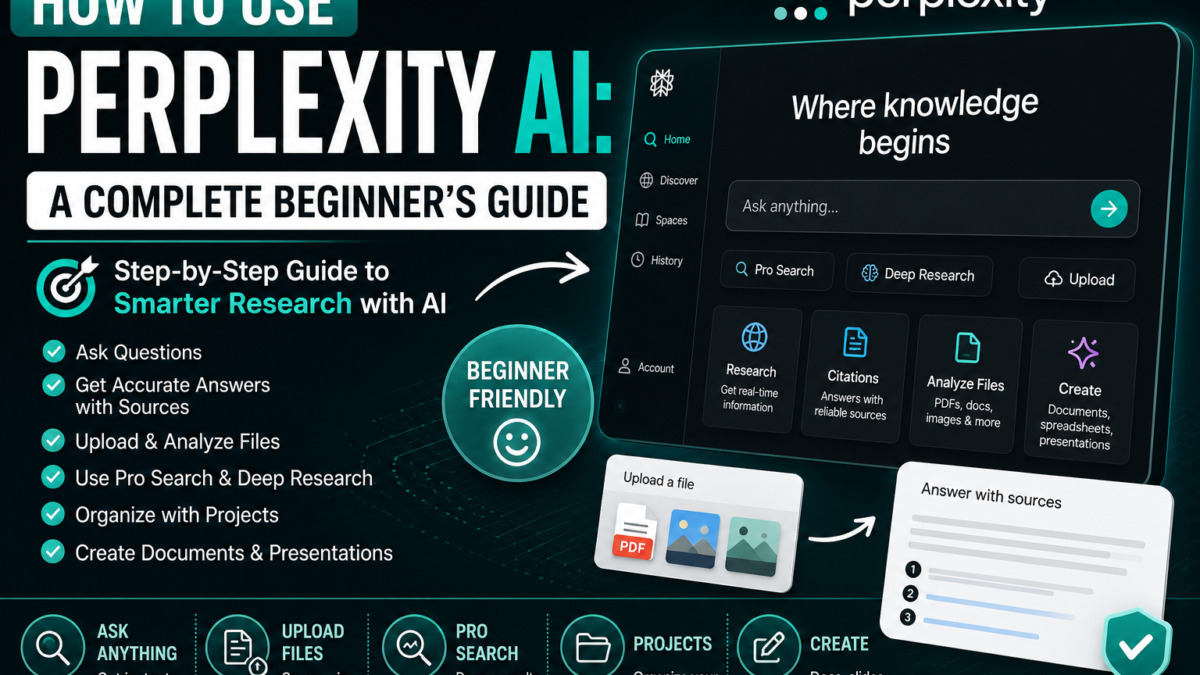
How to Use Perplexity AI
Step 1: Open Perplexity
Visit Perplexity and create an account if you want access to history, saved work and additional features.
You can also use Perplexity through supported mobile and desktop experiences.
Step 2: Ask Your First Question
Perplexity works well with both natural questions and short search-style queries.
For example:
What is artificial intelligence?
Or:
Best budget smartphones 2026
Or:
Latest developments in solar energy
Perplexity says you can use complete prompts or even simple keywords.
Step 3: Review the Sources
Perplexity normally includes numbered citations.
Do not ignore them.
Open citations when:
- The information is important
- You’re doing academic work
- You’re comparing products
- The topic is controversial
- You’re dealing with prices or statistics
Step 4: Ask Follow-Up Questions
You can continue the same session.
For example:
Compare the top three options.
Then:
Put the differences in a table.
Then:
Which one is best for a beginner?
Follow-up questions allow Perplexity to maintain context within the session.
Step 5: Write Better Research Prompts
A useful formula is:
Question + Scope + Requirements + Sources/Format
Example:
Compare ChatGPT, Claude and Gemini for students. Focus on free features, PDF analysis, research and writing. Use official sources where possible and create a comparison table.
This produces a much more focused answer than:
Best AI?
Step 6: Upload a PDF
Click the attachment option or drag a file into the search box.
Perplexity supports PDFs, text/code files, images, audio and video attachments.
Example:
Summarize this PDF in 10 bullet points.
Or:
Identify the three most important findings in this report.
Current file size limit: 40 MB per file.
Step 7: Research Current Information
Perplexity is particularly useful when the information changes frequently.
Example:
Find the latest official pricing for ChatGPT, Claude and Gemini. Use primary sources and show when each source was updated.
Because Perplexity searches the web, it can retrieve current information rather than relying only on static model knowledge.
Step 8: Use Pro Search
For more complex questions, use Pro Search where available.
It is useful for:
- Travel planning
- Academic research
- Market research
- Technical questions
- News analysis
Perplexity describes Pro Search as a guided AI search experience for deeper exploration.
Step 9: Use Deep Research
For large research tasks, use Deep Research where your plan allows it.
Example:
Research the global AI search market. Compare Perplexity, Google, ChatGPT and Microsoft Copilot, including business models, major features and current positioning.
Deep Research is more appropriate for comprehensive reports than simple questions.
Step 10: Use Projects
Perplexity also supports Projects for organizing ongoing work.
According to its getting-started documentation, Projects can contain prompts and files and can be used for collaborative or structured research.
For example:
Project: FaqsNow AI Research
You could store:
- Competitor research
- Source lists
- Article drafts
- PDFs
- Search threads
Step 11: Create Documents and Presentations
Perplexity can create assets such as documents, presentations and spreadsheets.
Example:
Research the top AI tools for marketers and create a 10-slide presentation with sources.
Step 12: Use Perplexity for Shopping Research
Example:
Compare these three laptops for video editing. Focus on processor, GPU, display, battery, current price and major disadvantages. Cite official product pages.
This is where source citations become especially useful.
Step 13: Verify Important Answers
Perplexity is not infallible.
Open the citations.
Check whether they actually support the claim.
This is especially important for:
- Medical topics
- Legal issues
- Finance
- Academic work
- Technical specifications
- Current prices
10 Useful Beginner Prompts
- Research:
Explain [topic] using reliable recent sources. - Compare:
Compare [A] and [B] in a table and cite official sources. - PDF:
Summarize this PDF and identify the five most important findings. - Current news:
What happened in [topic] this week? Use recent sources. - Shopping:
Compare these products based on current price, features and reviews. - Academic:
Find reliable sources explaining [topic] and summarize their conclusions. - Travel:
Create a three-day itinerary for [city] based on current attractions and opening information. - Business:
Research the major competitors in [industry]. - Fact checking:
Verify whether this claim is accurate and show the strongest supporting sources. - Follow-up:
Which claims in your answer should I independently verify?
Common Beginner Mistakes
Avoid:
- Asking extremely vague questions
- Trusting citations without opening them
- Using one source for controversial topics
- Assuming paid tools guarantee accuracy
- Uploading sensitive files unnecessarily
Final Verdict
Perplexity is especially useful when your question requires current web information and transparent sources.
The best way to use it is as a research assistant, not as an unquestionable authority.
New to Perplexity? Start with what Perplexity AI is and how it works. For comparison, see Perplexity vs ChatGPT.