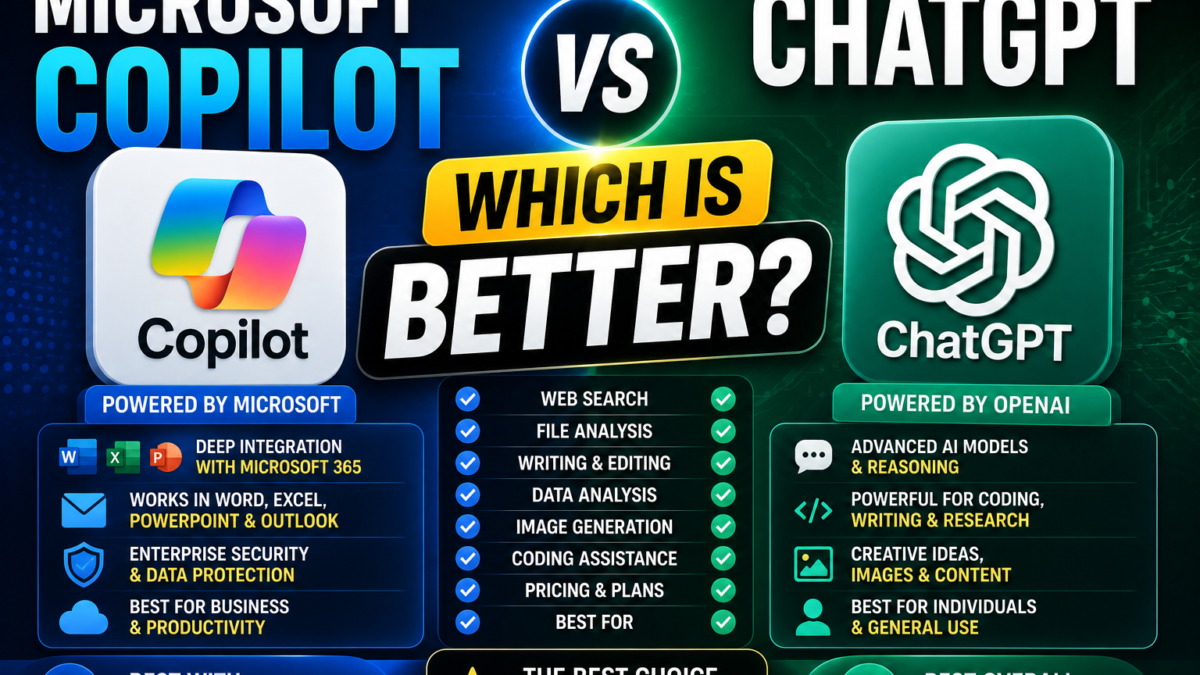
Microsoft Copilot vs ChatGPT
Microsoft Copilot and ChatGPT overlap in many areas.
Both can help with:
- Questions
- Writing
- Research
- Brainstorming
- Files
- Images
- Coding
- Productivity
But they aren’t identical products.
The biggest practical distinction is their ecosystem.
Microsoft Copilot is deeply connected with Microsoft’s software environment.
ChatGPT is designed as a more independent general-purpose AI workspace.
Copilot vs ChatGPT at a Glance
| Feature | Microsoft Copilot | ChatGPT |
|---|---|---|
| General AI chat | Yes | Yes |
| Web information | Yes | Yes |
| File analysis | Yes | Yes |
| Image generation | Yes | Yes |
| Writing | Yes | Yes |
| Coding | Yes | Yes |
| Word integration | Major advantage | Not native equivalent |
| Excel integration | Major advantage | File/data analysis instead |
| PowerPoint integration | Major advantage | Broader content/file workflows |
| Outlook integration | Major advantage | Not native equivalent |
| Projects/workspaces | Microsoft ecosystem | ChatGPT Projects |
| Best fit | Microsoft-heavy workflows | Broad standalone AI workflows |
Which Is Better for Everyday Questions?
For simple questions, both can be excellent.
You could ask either:
Explain blockchain to a beginner.
Or:
Give me 10 ideas for a small online business.
Or:
Rewrite this paragraph professionally.
The difference becomes more important when you start using ecosystem-specific features.
Which Is Better for Microsoft 365?
Copilot wins this category.
Microsoft has built Copilot directly into supported Microsoft 365 workflows.
Copilot can assist across Word, Excel, PowerPoint, Outlook and other Microsoft products, depending on account and licensing.
For someone whose working day revolves around Microsoft 365, this can be a significant advantage.
Which Is Better for Word?
Copilot has the stronger native integration.
Instead of moving text between an AI assistant and Word, eligible users can access Copilot functionality within the Microsoft environment itself.
ChatGPT remains a strong writing assistant, but its advantage is broader general-purpose writing rather than first-party Word integration.
Which Is Better for Excel?
Again, Copilot has a natural Microsoft ecosystem advantage.
It can help eligible users analyze data and work with spreadsheets inside Excel.
ChatGPT also has strong data-analysis capabilities and can analyze uploaded spreadsheets.
So the question is:
Do you want AI built into Excel, or a broader AI environment that can analyze spreadsheet files?
Which Is Better for PowerPoint?
Copilot’s first-party PowerPoint integration makes it especially attractive for Microsoft 365 users.
It can help users move from ideas or outlines toward presentations in supported environments.
ChatGPT can help write presentation content and can work with files, but Copilot has the advantage when direct PowerPoint integration matters.
Which Is Better for Writing?
This is much closer.
Both can:
- Draft articles
- Rewrite text
- Correct grammar
- Generate ideas
- Create outlines
- Adjust tone
- Summarize information
ChatGPT may appeal more to people who want a dedicated AI writing and brainstorming environment.
Copilot may appeal more when the final content belongs in Word, Outlook or another Microsoft application.
Which Is Better for Research?
Both can work with current web information.
Microsoft Copilot Chat can use web-grounded information, while licensed Microsoft 365 Copilot can also incorporate organizational content a user is authorized to access.
ChatGPT provides web search and dedicated research capabilities as part of its broader AI environment.
For ordinary internet research, both can be useful.
For organizational research inside a Microsoft 365 environment, Copilot can have an important advantage.
Which Is Better for Business?
If a company already runs heavily on:
- Microsoft 365
- Teams
- Outlook
- SharePoint
- OneDrive
- Word
- Excel
- PowerPoint
Microsoft Copilot deserves serious consideration.
Microsoft 365 Copilot can use work content the user has permission to access to generate contextually relevant responses.
ChatGPT can be more attractive when the company wants a broader AI workspace independent of one productivity ecosystem.
Which Is Better for Students?
Both can:
- Explain lessons
- Summarize information
- Create quizzes
- Help with writing
- Analyze documents
- Brainstorm projects
Students who use Word and PowerPoint heavily may appreciate Copilot’s Microsoft integration.
Students who want a broader conversational study environment may prefer ChatGPT.
Which Is Better for Coding?
Both can assist with code.
ChatGPT has a strong identity as a general-purpose reasoning and coding assistant.
Copilot can also generate and explain code, although Microsoft’s developer-specific GitHub Copilot is a separate product family and should not be confused with ordinary Microsoft Copilot.
That distinction is important when comparing products.
Which Is Better for Images?
Both can generate images.
The best choice here is often subjective.
Try the same prompt in both and compare:
- Prompt following
- Visual quality
- Text rendering
- Editing capabilities
- Style
- Speed
Which Should You Choose?
Choose Microsoft Copilot if you:
- Use Microsoft 365 heavily
- Work frequently in Word
- Analyze data in Excel
- Build PowerPoint presentations
- Depend on Outlook
- Work within a Microsoft-based organization
Choose ChatGPT if you:
- Want a broad standalone AI workspace
- Frequently write and brainstorm
- Work with many types of tasks
- Use AI for coding and reasoning
- Want research, files, images and projects together
Can You Use Both?
Yes.
For many professionals, that can actually be the best approach.
Use Copilot when the task is deeply connected with Microsoft 365.
Use ChatGPT when you prefer its broader AI workflow.
Final Verdict
There is no universal winner.
Microsoft Copilot is strongest when Microsoft 365 integration matters.
ChatGPT is strongest as a broad, standalone AI workspace.
Choose based on the work you actually do rather than simply which AI brand is more popular.
Want to know more about Copilot first? Read what Microsoft Copilot is and how it works and how to use Microsoft Copilot. For comparison, see whether ChatGPT is free.