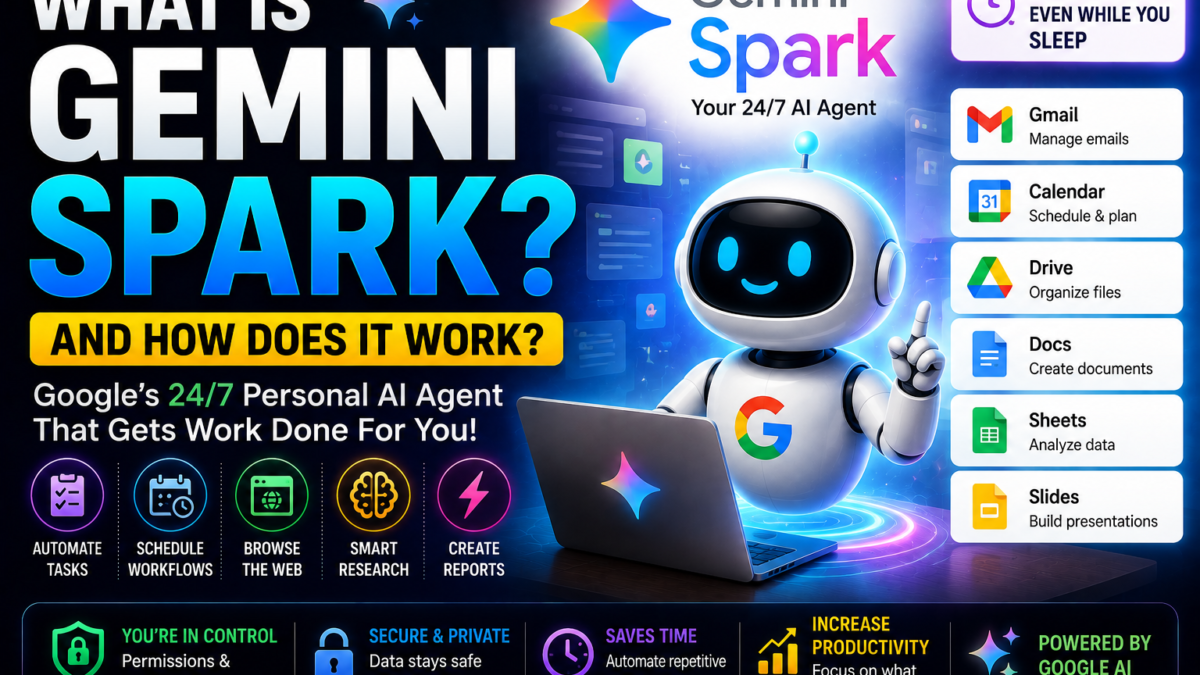
What Is Gemini Spark?
Gemini Spark is an AI agent built into Google’s Gemini ecosystem.
Google introduced Spark in May 2026 as part of a broader move to make Gemini more agentic.
The key difference is that Spark isn’t designed only to answer questions.
A traditional chatbot generally works like:
You ask → AI answers → you decide what to do next.
Gemini Spark is designed more like:
You give it a goal → Spark plans the work → uses connected tools → performs multiple steps → reports the result.
Google describes it as a 24/7 personal AI agent that can continue working in the background, including when your laptop is closed or your phone is locked for cloud-based tasks.
How Does Gemini Spark Work?
You start by giving Spark a goal in normal language.
For example:
Every Monday morning, review my important emails from the previous week, summarize the main updates and create a prioritized to-do list for this week.
Spark can then use authorized services and information to work through the task.
Depending on the task and your permissions, it can use information from sources such as:
- Connected Apps
- Skills
- Previous chats
- Websites
- Personal Intelligence
- Location
- Google Workspace
Google says Spark can automate complex workflows and manage schedules for ongoing tasks.
What Can Gemini Spark Do?
Gemini Spark is designed for tasks that normally require multiple manual steps.
Examples include:
- Managing email
- Researching topics
- Monitoring information
- Organizing files
- Working with spreadsheets
- Updating presentations
- Scheduling recurring workflows
- Managing calendar-related tasks
- Browsing websites
- Handling repetitive digital work
- Working across connected apps
The exact actions available depend on your account, region, connected services and current Spark capabilities.
What Apps Can Gemini Spark Use?
Google says Spark can natively connect with Google services including:
- Gmail
- Google Calendar
- Google Drive
- Google Docs
- Google Sheets
- Google Slides
- YouTube
- Google Maps
Connections are not simply assumed. Google says these app connections are turned off by default and users can enable them through settings.
Google has also expanded Spark with Google Tasks and Keep support, plus custom connected apps through MCP server URLs.
Can Gemini Spark Read and Manage Gmail?
Yes, when you authorize the relevant connection.
Email management is one of Google’s major Spark examples.
For instance, you could ask Spark to:
Review my recent newsletters and summarize the important ones.
Or:
Find emails that contain invoices and organize the information.
Or:
Extract action items from my important email conversations.
Spark can also help with tasks such as drafting replies and organizing email-related information.
However, Google explicitly says Spark does not simply read your emails indiscriminately 24/7. It operates under your direction.
Can Gemini Spark Work With Google Drive?
Yes.
Google provides examples of Spark scanning authorized Drive content and organizing useful information.
For example:
Scan my Google Drive and organize the most important files in a spreadsheet with categories and notes.
This is where Google’s ecosystem can become a significant advantage for Spark.
An AI agent that can work across Gmail, Drive, Docs, Sheets, Calendar and other Google services can automate workflows that would otherwise require switching repeatedly between applications.
What Are Tasks in Gemini Spark?
Tasks are jobs that you assign to Spark.
Instead of asking only for information, you give Spark something to accomplish.
For example:
Review my inbox, identify important customer inquiries and create a list of follow-ups.
A task may involve multiple steps and different connected services.
What Are Skills in Gemini Spark?
Skills allow you to create reusable ways of performing repeated tasks.
Imagine that you frequently ask AI to write emails in your preferred style.
Instead of explaining your writing preferences every time, you could create a Skill based on those instructions.
Google gives an example of reviewing previously written emails and turning the writing pattern into a reusable email-writing skill.
This could make Spark increasingly useful for repetitive personal or professional workflows.
What Are Schedules in Gemini Spark?
Schedules allow Spark to perform work based on timing or conditions.
For example:
Every Monday at 9 AM, review my emails from the previous week and create a prioritized to-do list.
Or you might use schedules for:
- Weekly research reports
- News monitoring
- Financial topic monitoring
- Recurring inbox reviews
- Regular business summaries
Google has continued improving Spark’s scheduled monitoring capabilities, including monitoring topics across news, finance, sports and local events.
This is a major distinction between Spark and ordinary one-time AI conversations.
Does Gemini Spark Work 24/7?
Yes, this is one of Google’s primary ways of describing the product.
Spark runs on cloud infrastructure and can continue certain tasks in the background even when your phone is locked or laptop is closed.
However, this doesn’t mean every possible task can run indefinitely without you.
Some tasks may require:
- Approval
- Authentication
- Additional information
- User intervention
- A local device
The requirements depend on what Spark is doing.
Can Gemini Spark Browse Websites?
Yes.
This capability became significantly more interesting in July 2026.
Google expanded Spark with Chrome auto browse.
With permission, Spark can use Chrome to perform supported web errands using websites where you’re already signed in.
For example, Google says Spark can help with tasks such as:
- Researching flights
- Starting booking processes
- Scheduling apartment viewings
- Shopping-related workflows
- Other multi-step browser tasks
Can Gemini Spark Use My Logged-In Websites?
With your permission, yes.
When Spark uses local Chrome auto browse, it can interact with sites where you’re signed in.
Google also says it can, with permission, use login information saved in Google Password Manager for supported workflows.
This makes Spark considerably more capable—but it also means users should pay close attention to permissions.
Can Gemini Spark Make Purchases?
Spark can assist with workflows that lead toward purchases, but Google keeps users involved in sensitive actions.
For example, Google’s Chrome integration documentation says sensitive actions such as payments are handed back to the user.
This is important.
An agent that can browse websites shouldn’t be treated as having unlimited permission to spend money or perform irreversible actions.
Can Gemini Spark Work on a Mac?
Yes.
Google brought Spark to the Gemini macOS app in June 2026.
The Mac integration allows Spark to work with authorized desktop files and applications.
For example, Google says you could ask Spark to organize PDFs in your Downloads folder or create a budget spreadsheet using invoices stored on your computer.
Google says Spark only has access to local files you give it permission to use.
Can Gemini Spark Use Third-Party Apps?
Google has been expanding this capability.
Spark supports custom connected apps using Model Context Protocol (MCP) server URLs, and Google has also announced integrations involving external services.
This means Spark’s usefulness doesn’t have to remain limited to Google’s own applications.
Is Gemini Spark the Same as Regular Gemini?
No.
Gemini is Google’s broader AI assistant and AI ecosystem.
Spark is an agentic capability within that ecosystem.
A normal Gemini conversation might be:
Write an email reminding my team about tomorrow’s meeting.
Spark is designed for something more like:
Every Monday, review relevant emails, identify this week’s priorities, create my to-do list and schedule appropriate deep-work blocks.
The difference is answering versus acting.
Google itself describes Spark as moving Gemini from a reactive assistant toward an active partner capable of doing work on a user’s behalf.
Gemini Spark vs Gemini Deep Research
They serve different purposes.
Deep Research primarily helps investigate topics and produce detailed research.
Gemini Spark is broader and more action-oriented.
Spark can research, but it can also perform workflows across applications, create schedules and take supported actions.
For example:
Deep Research:
Research the latest developments in electric vehicles.
Spark:
Every Friday, research important EV-industry developments, summarize them and send me a weekly briefing.
That distinction is useful for beginners trying to understand Google’s growing collection of Gemini features.
Gemini Spark vs ChatGPT Agent
Both belong to the rapidly expanding category of AI agents.
Both move beyond simple question answering toward performing multi-step tasks.
Gemini Spark’s major advantage is its deep connection with Google’s ecosystem, including Gmail, Drive, Calendar, Docs, Sheets and other Google services.
ChatGPT Agent operates inside the broader ChatGPT ecosystem.
The better choice will depend heavily on which applications and services are already central to your workflow.
This comparison deserves its own future FaqsNow article:
Gemini Spark vs ChatGPT Agent: Which AI Agent Is Better?
Gemini Spark vs Manus AI
Manus and Gemini Spark are also worth comparing.
Both focus on completing multi-step work.
But their ecosystems differ.
Gemini Spark is particularly integrated with Google’s services and personal digital environment.
Manus is positioned as a broader autonomous AI agent capable of research, websites, apps, presentations and various other workflows.
A dedicated comparison would be more useful than declaring one universally better.
Is Gemini Spark Free?
Not generally as a full standalone free feature.
Google’s current official product information says Spark availability depends on subscription, country and account eligibility.
Google initially launched it for Google AI Ultra subscribers and has since expanded access significantly, including to Google AI Pro subscribers in many countries.
Because Google’s rollout is ongoing, users should check current availability for their own account rather than assuming everyone has access.
Who Can Use Gemini Spark?
Google’s current requirements include being 18 or older and signing into Gemini with an eligible Google account. Availability also depends on plan, country and rollout status.
Google expanded Pro access to more than 160 additional countries in July 2026.
Is Gemini Spark Safe?
Google has built several controls around Spark because an AI agent capable of taking actions introduces greater risks than a normal chatbot.
Google emphasizes that Spark operates under your direction.
It can ask for confirmation before browser tasks and sensitive actions.
Google also says its Chrome auto-browse capability includes protections against threats such as prompt injection.
Still, users should be careful when connecting:
- Password-protected accounts
- Financial information
- Private files
- Business documents
- Cloud storage
Always review the permissions you’re giving an autonomous AI agent.
Does Gemini Spark Require Coding?
No.
Google specifically says users don’t need coding expertise to automate tasks with Spark.
You interact with the agent using normal conversational instructions.
For example:
Every Friday afternoon, find important AI news from the week and prepare a short summary.
That’s much more accessible than building a traditional automation workflow with code.
Who Should Use Gemini Spark?
Spark may be especially useful for:
- Busy professionals
- Entrepreneurs
- Google Workspace users
- Researchers
- Students
- Content creators
- Small-business owners
- People managing large inboxes
- People performing repetitive digital tasks
- Users interested in AI automation
It will be especially attractive to people already heavily invested in Google’s ecosystem.
Final Verdict
Gemini Spark represents an important change in how Google wants people to use AI.
Instead of using Gemini only to ask questions, Spark is designed to let users delegate work.
Its ability to run in the background, connect with Google Workspace, create reusable Skills, run scheduled workflows and use Chrome for web tasks turns Gemini into a more proactive personal AI agent.
The biggest potential advantage is Google’s ecosystem itself.
For someone already using Gmail + Drive + Docs + Sheets + Calendar + Chrome, Spark can connect services that previously required significant manual work.
At the same time, giving an AI agent access to accounts, files and browser sessions creates additional privacy and security considerations, so users should carefully control permissions and supervise important actions.
Gemini Spark builds on Google Gemini, the company’s core AI assistant. See how Gemini overall compares to ChatGPT.