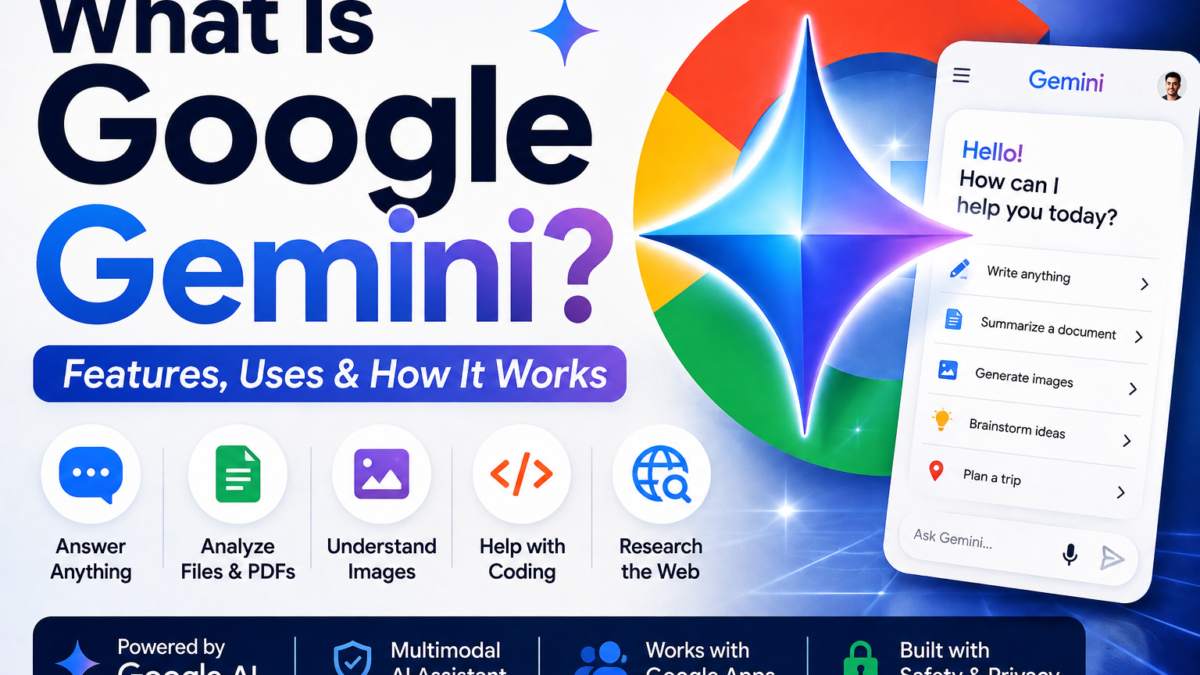
Google Gemini is Google’s AI assistant and family of artificial intelligence models. It can answer questions, write and rewrite content, summarize information, analyze files and images, help with coding, generate images, conduct research, and connect with supported Google services.
Gemini is available through Google’s Gemini app, and Google offers both free and paid access. Because it integrates with products across Google’s ecosystem, it can be particularly useful for people who already work with services such as Gmail, Google Drive, Docs, and other Google apps. For setup steps, see how to connect apps to Gemini. Browse the Gemini guides and comparisons for related questions.
Quick Answer
Google Gemini is an AI assistant developed by Google and powered by Google’s Gemini AI models. You can use it to ask questions, write content, analyze images and files, generate images, research topics, help with coding, and complete other AI-assisted tasks. Gemini offers free access as well as paid Google AI plans that provide higher limits and access to additional models and features.
What Is Google Gemini?
Gemini is Google’s generative AI system.
The name Gemini can refer to both Google’s family of AI models and the Gemini assistant that people interact with through the Gemini app.
The easiest way to understand the distinction is:
Gemini models are the underlying AI technology.
The Gemini app is the user-facing assistant where you can chat with Gemini and use its available AI features.
Gemini can process and generate different types of information rather than working only with ordinary text. Google’s Gemini models are designed to be multimodal, allowing supported models and products to work across different forms of information such as text, images, audio, video, and code.
For everyday users, however, the experience is straightforward: you enter a prompt and Gemini responds.
What Can Google Gemini Do?
Gemini can be used for a wide variety of everyday, educational, creative, and professional tasks.
For example, you can ask Gemini to:
- Answer questions
- Explain complicated subjects
- Write and rewrite text
- Summarize information
- Brainstorm ideas
- Help with coding
- Analyze uploaded files
- Understand images
- Generate images
- Research topics
- Create study materials
- Plan trips
- Compare information
- Help organize ideas
- Work with supported Google services
The exact capabilities available to you can depend on your account, country, Gemini model, subscription, and Google’s current product rollout.
How Does Google Gemini Work?
Gemini uses large AI models trained to recognize patterns and relationships in large amounts of information.
When you give Gemini a prompt, it processes your instructions and generates a response based on the request and the context available to it.
For example, you might ask:
“Explain artificial intelligence to a 10-year-old.”
Gemini will attempt to adapt the explanation to that audience.
You could then follow up with:
“Now give me three examples.”
Gemini can use the existing conversation as context, so you usually don’t have to repeat the entire original question.
This conversational approach is one of the reasons AI assistants such as Gemini, ChatGPT, and Claude can feel different from traditional search engines.
Is Google Gemini Free?
Yes. You can use Gemini without paying for a premium AI subscription.
Google also offers paid Google AI plans that provide additional access, higher limits, and premium AI capabilities.
The exact models, features, limits, and paid-plan names can change as Google updates Gemini, so users should check Google’s current Gemini plan page before purchasing a subscription.
For many casual users, the free version is a good place to start.
If you frequently reach usage limits or need Google’s more advanced AI capabilities, a paid plan may be more appropriate.
Do You Need a Google Account to Use Gemini?
For the full Gemini experience and many personalized features, you’ll generally use Gemini while signed into a Google Account.
Your account can also matter when using Gemini with supported Google services and when accessing features tied to a Google AI subscription.
Availability can vary by age, account type, location, and feature.
Can Gemini Search the Internet?
Gemini can use information from the web and Google Search to help answer supported queries.
This is an important distinction between modern AI assistants and AI models that rely only on information learned during training.
For questions involving current information, Gemini may use Google Search to help provide a more up-to-date answer.
However, AI-generated answers can still contain errors.
For important information, especially financial, medical, legal, or safety-related information, users should check Gemini’s supporting sources and verify important claims independently.
Can Gemini Generate Images?
Yes. Image generation is one of the capabilities available through Gemini.
You can describe the image you want in natural language and Gemini can generate an image using Google’s available image-generation technology.
For example:
“Create an illustration of a futuristic city powered entirely by renewable energy.”
You can make your prompt more specific by describing the composition, lighting, colors, setting, camera angle, or desired visual style.
Image-generation availability and limits can depend on your account, location, age, plan, and Google’s current product policies.
Can Gemini Understand Images?
Yes.
Gemini’s multimodal capabilities allow it to analyze images in supported experiences.
You might upload a picture and ask Gemini to:
- Describe what it contains
- Explain a diagram
- Read visible information
- Analyze a chart
- Suggest ideas based on an image
- Answer questions about a screenshot
This can make Gemini more useful than a text-only chatbot.
As with any AI system, you should verify important details rather than relying on image analysis for high-stakes decisions.
Can Gemini Read PDF Files?
Yes, Gemini can work with uploaded files in supported experiences, including PDFs.
This means you can upload a document and ask Gemini questions about it.
For example:
“Summarize this PDF in 10 bullet points.”
Or:
“What are the main conclusions in this report?”
Or:
“Explain this document in simple English.”
File availability, supported types, size limits, and analysis capabilities can differ depending on the Gemini feature and subscription you’re using.
This topic deserves its own FaqsNow article because users commonly want to know exactly what Gemini can do with PDFs.
Can Gemini Help With Coding?
Yes.
Gemini can generate, explain, review, and help debug code.
For example, a developer could ask Gemini to:
“Explain what this Python function does.”
“Find the error in this JavaScript code.”
“Create a responsive HTML and CSS contact form.”
“Rewrite this function to make it easier to understand.”
Google also offers AI-powered coding products and developer tools based on its Gemini models.
The quality of AI-generated code varies by task, so developers should review, test, and secure generated code before using it in production.
What Is Gemini Deep Research?
Deep Research is designed for more complicated research tasks than a simple question-and-answer conversation.
Instead of immediately producing a short response, Gemini can research a topic and synthesize information into a more detailed report.
This can be useful for subjects such as:
- Market research
- Product comparisons
- Technology research
- Educational research
- Travel planning
- Industry analysis
- Understanding complicated subjects
Research reports can save time, but users should still inspect the underlying sources when accuracy is important.
What Are Gems in Gemini?
Gems allow you to customize Gemini for particular purposes or recurring tasks.
Instead of repeatedly explaining how you want Gemini to behave, you can create or use a Gem designed around a particular workflow.
For example, you could have a Gem focused on:
- Learning
- Writing
- Brainstorming
- Coding
- Career advice
- Content creation
Think of a Gem as a customized version of the Gemini experience for a particular type of task.
Can Gemini Connect With Gmail and Google Drive?
Integration with Google’s ecosystem is one of Gemini’s most important advantages.
Depending on the feature, account, and permissions, Gemini can work with supported Google apps and services.
These integrations can include products such as Gmail, Drive, Calendar, Keep, Tasks, and other Google services.
For example, rather than manually copying information from an email into your AI conversation, an appropriate Gemini integration may allow Gemini to work with relevant information from your Google services after you grant the required access.
This can make Gemini especially appealing to users whose daily workflow already revolves around Google products.
Is Gemini the Same as Google Assistant?
No.
Gemini and the traditional Google Assistant are not simply two names for exactly the same product.
Google has increasingly brought Gemini’s generative AI capabilities into its assistant experiences and Android ecosystem.
Traditional voice assistants were largely designed around commands such as setting alarms, controlling devices, checking weather, and performing simple searches.
Generative AI assistants are designed for more open-ended conversations, reasoning, writing, research, and content creation.
The boundaries continue to change as Google integrates Gemini more deeply into its products.
Is Gemini the Same as Google Bard?
Gemini replaced the Bard brand.
Google originally launched its consumer generative AI chatbot under the name Bard.
In February 2024, Google renamed Bard to Gemini, bringing the consumer assistant under the same Gemini branding as its AI model family.
So if you encounter an older article discussing Google Bard, it may be describing an earlier version of what later became Gemini.
Gemini vs ChatGPT: What’s the Difference?
Gemini and ChatGPT overlap significantly.
Both can:
- Answer questions
- Generate text
- Analyze files
- Understand images
- Help with programming
- Search the web
- Generate images
- Assist with research
The biggest differences are often found in their ecosystems, models, interfaces, integrations, and specific tools.
Gemini has a natural advantage for users deeply invested in Google’s ecosystem because Google can integrate its AI capabilities across its own products.
ChatGPT, developed by OpenAI, has its own ecosystem and broad collection of integrated AI tools.
There isn’t one winner for every user.
Someone who relies heavily on Gmail, Drive, Docs, and other Google products may prefer Gemini, while another user may prefer ChatGPT’s interface, models, tools, or workflow.
Gemini vs Claude: What’s the Difference?
Claude is developed by Anthropic, while Gemini is developed by Google.
Both can handle writing, coding, research, documents, and other AI tasks.
Claude has distinctive features such as Artifacts and Claude Code, while Gemini benefits from Google’s ecosystem, multimodal AI development, and integration with supported Google products.
As with Gemini vs ChatGPT, the better option depends heavily on what you actually want to accomplish.
Is Gemini Safe to Use?
Gemini includes Google’s AI safety systems and product policies, but users should still use generative AI carefully.
Avoid assuming that every answer is correct simply because it sounds confident.
You should be especially careful when dealing with:
- Medical decisions
- Financial decisions
- Legal matters
- Personal information
- Confidential business information
- Security-related tasks
Also review Google’s current privacy information before uploading sensitive files or connecting personal services.
Does Gemini Always Give Correct Answers?
No.
Gemini can make mistakes.
Generative AI systems can sometimes produce inaccurate information, misunderstand a question, miss context, or generate a convincing response that contains incorrect facts.
This problem is often called hallucination.
The safest approach is to treat Gemini as an assistant rather than an unquestionable source of truth.
For important factual claims, verify the information using reliable primary sources.
Who Should Use Google Gemini?
Gemini can be useful for students, professionals, developers, writers, researchers, content creators, and everyday users.
It is particularly worth considering if you already use Google’s ecosystem extensively.
A student might use Gemini to explain difficult concepts.
A writer might use it to brainstorm and edit content.
A developer might use it to understand code.
A business user might use it to research ideas and work with documents.
An everyday user might simply use it to ask questions, plan activities, or understand unfamiliar topics.
Is Google Gemini Worth Using?
For many users, yes—especially because you can begin with free access and decide whether it suits your workflow.
You don’t need to immediately purchase a paid plan.
Try Gemini with the tasks you actually perform.
Ask it questions. Upload appropriate files. Test its writing. Try its research tools. Compare its responses with ChatGPT or Claude.
That gives you a much better indication of whether Gemini is right for you than simply comparing marketing feature lists.
Final Verdict
Google Gemini is much more than a basic chatbot.
It is Google’s broader generative AI platform, with capabilities spanning conversation, writing, research, coding, file and image analysis, image generation, and integrations with Google’s ecosystem.
Its strongest appeal may be the combination of powerful multimodal AI with services millions of people already use.
Gemini also offers free access, making it easy to test before considering a paid Google AI plan.
For new users, the best starting point is simple: try the free version of Gemini with your real everyday tasks and upgrade only if you actually need the additional paid capabilities.
Curious how it compares to other chatbots? See Gemini vs ChatGPT. Google has also introduced more specialized tools like Gemini Spark, which builds on the same technology.
Looking for a broader comparison of options? See our roundup of the best free AI image generators, which covers Gemini alongside ChatGPT, Canva and others.