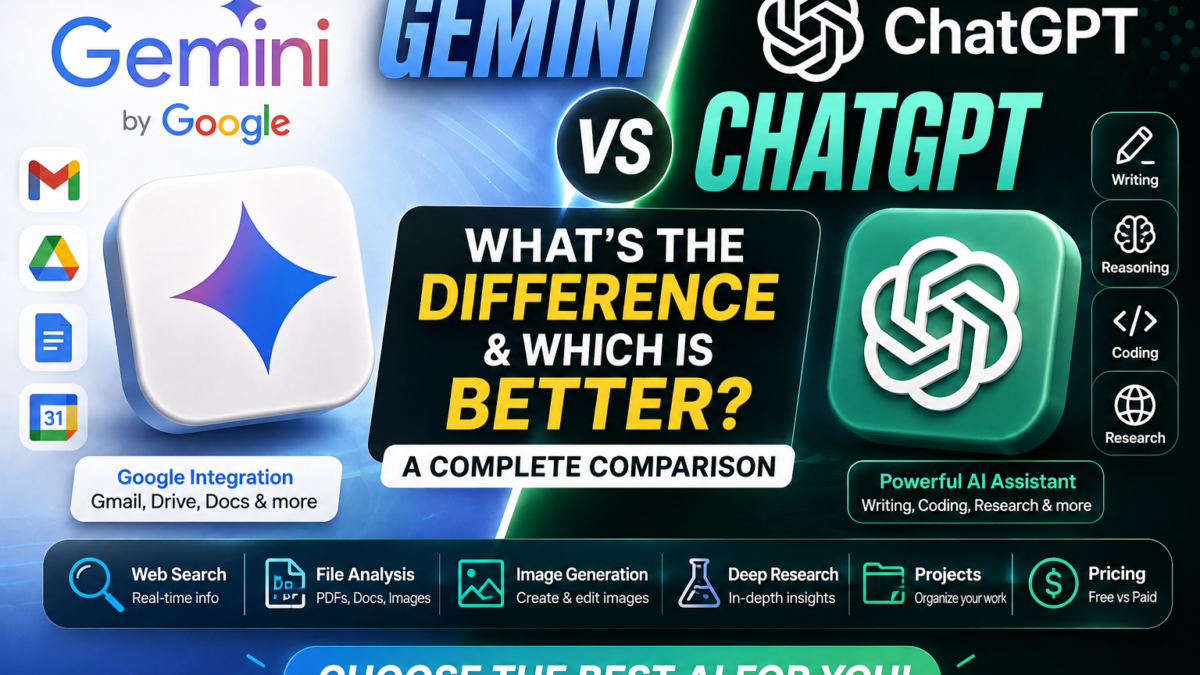
Gemini vs ChatGPT: What’s the Difference?
Gemini and ChatGPT are two of the most widely used AI assistants.
Google develops Gemini, while OpenAI develops ChatGPT.
At first glance, they can look very similar.
Both can:
- Answer questions
- Write and rewrite content
- Summarize information
- Analyze files
- Understand images
- Help with coding
- Search the web
- Conduct research
- Generate images
- Assist with planning and brainstorming
The real difference becomes clearer when you look at how each assistant fits into a wider workflow.
Gemini is closely integrated with Google’s ecosystem.
ChatGPT is built more like a broad, independent AI workspace.
That distinction can matter more than small differences in individual answers.
Gemini vs ChatGPT at a Glance
| Feature | Gemini | ChatGPT |
|---|---|---|
| Developer | OpenAI | |
| Free version | Yes | Yes |
| Paid plans | Yes | Yes |
| Web search | Yes | Yes |
| Deep research | Yes | Yes |
| File uploads | Yes | Yes |
| PDF analysis | Yes | Yes |
| Image understanding | Yes | Yes |
| Image generation | Yes | Yes |
| Coding help | Yes | Yes |
| Google Workspace integration | Strong | Limited compared with Gemini |
| Gmail/Drive access | Supported through connected Google services | Not a native Google ecosystem feature |
| Projects/workspaces | Supported through Gemini ecosystem features | Projects |
| Best fit | Google-heavy workflows | Broad AI workflows |
This table is a simplified overview. Exact models, limits, and feature availability can differ by plan, region, and product rollout.
What Is Google Gemini?
Gemini is Google’s AI assistant and family of AI models.
Google currently offers different Gemini model options, including Flash-Lite, Flash, and Pro. Google describes Gemini Pro as its most advanced general model for difficult tasks such as math and coding, with deeper understanding across text, files, images, and video.
Gemini also has a major ecosystem advantage.
When the Google Workspace connection is enabled, Gemini can work with supported Google services such as:
- Gmail
- Docs
- Drive
- Calendar
- Tasks
- Keep
Google says Gemini can find and summarize information from Gmail, Docs, and Drive, manage tasks and reminders, create and retrieve notes, and create or manage Calendar events in supported configurations.
That makes Gemini especially useful for users already working inside Google’s ecosystem.
What Is ChatGPT?
ChatGPT is OpenAI’s general-purpose AI assistant.
It can help with:
- Writing
- Research
- Coding
- Planning
- File analysis
- Image generation
- Image understanding
- Problem-solving
- Data analysis
- Long-running projects
OpenAI’s current ChatGPT Plus plan includes broader model access than Free, higher limits, advanced reasoning, faster responses, image generation, file uploads and analysis, and Deep Research where available.
ChatGPT also has Projects, which allow users to organize related chats, files, and instructions around a longer-term task.
Gemini vs ChatGPT for Everyday Questions
For ordinary questions, both Gemini and ChatGPT are highly capable.
For example, you could ask either:
Explain how solar panels work.
Or:
Give me five dinner ideas using chicken and rice.
Or:
Rewrite this email to sound more professional.
For straightforward tasks like these, the difference may be small.
The bigger differences emerge when you start using additional tools, files, connected apps, research capabilities, or long-running workflows.
Gemini vs ChatGPT for Writing
Both are strong writing assistants.
You can use either to:
- Draft articles
- Rewrite paragraphs
- Create emails
- Improve grammar
- Brainstorm headlines
- Generate product descriptions
- Create social media content
- Summarize documents
ChatGPT is often attractive to users who want a flexible standalone writing and brainstorming environment.
Gemini may be particularly convenient when the material you want to work with is already stored inside Google’s services.
For example, supported Gemini connections can retrieve information from Gmail or Drive and then help summarize or work with that content.
So for writing alone, both are competitive.
For writing directly connected to Google Workspace content, Gemini has a natural ecosystem advantage.
Gemini vs ChatGPT for Research
Both Gemini and ChatGPT provide deeper research tools.
Gemini’s Deep Research can use Google Search by default and can also incorporate additional sources such as Gmail, Drive, uploaded files, and NotebookLM notebooks in supported configurations. Google says Gemini creates a research plan before generating a report.
ChatGPT also provides Deep Research on supported plans and experiences.
OpenAI currently includes Deep Research among ChatGPT Plus features where available.
The difference is largely in ecosystem.
Gemini’s research workflow can be especially useful if your research materials already live in Google Drive or Gmail.
ChatGPT can be preferable if you want a more independent workspace centered around ChatGPT itself.
Gemini vs ChatGPT for Google Workspace
This is one of the clearest differences.
Gemini integrates directly with Google’s ecosystem.
When connected appropriately, Gemini can access supported data and actions across services such as Gmail, Docs, Drive, Tasks, Keep, and Calendar.
Examples include asking Gemini to:
Find the latest email about a project and summarize it.
Find a document in Drive and explain the main points.
Create a Calendar event.
Save a note to Keep.
Add a reminder to Tasks.
For people who spend much of their day inside Google Workspace, this can be a major advantage.
ChatGPT can work with external services in various ways, but it does not have the same first-party relationship with Google’s own ecosystem.
For Google-centered productivity, Gemini is the stronger choice.
Gemini vs ChatGPT for PDF and File Analysis
Both can analyze files.
Gemini currently supports uploading documents, spreadsheets, photos, videos, code, and other files. Google says users can generally add up to 10 supported files in the same prompt, subject to availability. Non-video supported files can currently be up to 100 MB each.
Gemini’s paid AI Pro and Ultra plans also provide a larger context window of up to 1 million tokens, while accounts without an AI plan currently have a smaller context window.
ChatGPT also supports file uploads and analysis through supported plans and tools.
OpenAI lists file uploads and analysis as part of ChatGPT Plus.
You can use either assistant for tasks such as:
Summarize this PDF.
Compare these two reports.
Extract the most important numbers.
Explain this spreadsheet.
Find inconsistencies in this document.
For extremely large materials, Gemini’s higher paid-plan context window can be especially useful.
For general document analysis, both are strong.
Gemini vs ChatGPT for Images
Both can understand images.
You can upload a:
- Screenshot
- Chart
- Diagram
- Photograph
- Product image
and ask questions about it.
Gemini also supports image generation and editing through Google’s current Nano Banana image technology. Google’s current documentation says Gemini Apps can generate and refine images, with additional generation capabilities available to paid users.
ChatGPT Plus likewise includes image generation as one of its expanded features.
For casual users, both platforms provide strong image-related capabilities.
The better choice may come down to which image style, editing workflow, or interface you prefer.
Gemini vs ChatGPT for Coding
Both Gemini and ChatGPT can:
- Generate code
- Explain code
- Debug errors
- Review functions
- Suggest improvements
- Help plan software
- Explain technical concepts
Google specifically describes Gemini Pro as particularly capable at complex math and coding tasks.
Gemini can also import code folders and GitHub repositories in supported file-upload workflows. Google currently documents support for adding code folders and GitHub repositories directly to Gemini Apps.
ChatGPT also provides advanced reasoning capabilities useful for coding and multi-step analysis.
There is no universal coding winner because results can vary considerably depending on language, project, model, and task.
Professional developers should test both using their own real codebase rather than relying only on general benchmark claims.
Gemini vs ChatGPT for Long Documents
This is an area where Gemini can be particularly attractive.
Google currently documents:
- 32k context for accounts without an AI plan
- 128k context for AI Plus
- 1 million tokens for AI Pro and AI Ultra
These limits apply to Gemini Apps’ ability to understand information together in context.
A larger context window can be useful when working with:
- Large reports
- Multiple documents
- Codebases
- Long transcripts
- Research collections
That doesn’t automatically mean Gemini will always produce the better analysis.
But it gives paid Gemini users considerable capacity for document-heavy workflows.
Gemini vs ChatGPT for Web Search
Both can retrieve current information.
Gemini naturally benefits from Google’s search infrastructure.
Gemini Deep Research includes Google Search as a source by default.
ChatGPT also supports current web information and research tools, including Deep Research on supported plans.
For either assistant, the important habit is the same:
check the sources.
AI-generated summaries can misunderstand or incorrectly combine information even when web search is available.
Gemini vs ChatGPT for Image Generation
Both platforms now provide built-in image generation.
Gemini’s current image-generation experience uses Google’s Nano Banana family, and Gemini Apps can both generate and edit images.
ChatGPT Plus also includes image generation.
For users creating:
- Social media images
- Illustrations
- Concepts
- Product mockups
- Marketing graphics
either platform may be useful.
The better choice is often subjective because visual style and prompt response matter more than a simple feature checklist.
Gemini vs ChatGPT Pricing
Both offer free access and paid upgrades.
Gemini currently divides access across accounts without an AI plan and paid tiers including Google AI Plus, Google AI Pro, and Google AI Ultra. Google notes that paid tiers provide progressively higher usage limits.
ChatGPT also offers Free and paid plans.
OpenAI currently lists ChatGPT Plus at $20 per month, with higher limits, broader model access, advanced reasoning, faster responses, image generation, file analysis, and Deep Research where available.
Because Google plan pricing can vary by country and may include bundled Google One benefits, check Google’s live subscription screen for your location before purchasing.
For this article, it is better not to build the comparison around exact Google regional pricing because that can become outdated quickly.
Gemini vs ChatGPT: Which Is Better for Students?
Both can be excellent learning tools.
A student might use either to:
- Explain a difficult concept
- Create flashcards
- Summarize notes
- Analyze PDFs
- Generate practice questions
- Help understand code
- Research a topic
Gemini may have an advantage when coursework and documents are already stored in Google Drive, Gmail, or related Google services.
ChatGPT may appeal more to students who prefer a self-contained AI study workspace.
The most important thing is to use either as a learning assistant rather than blindly copying generated answers.
Gemini vs ChatGPT: Which Is Better for Business?
It depends heavily on your existing workflow.
Gemini may make more sense if your organization relies heavily on:
- Gmail
- Google Drive
- Docs
- Calendar
- Tasks
- Google Workspace
Its native ecosystem connections reduce the need to manually move information between services.
ChatGPT may be preferable for businesses that want a more independent AI workspace for research, writing, files, brainstorming, planning, and other tasks.
For organizations, privacy, administrative controls, and business-specific plans should also be evaluated separately from consumer features.
Gemini vs ChatGPT: Which Is Better for Content Creators?
Both can help with:
- Video ideas
- Scripts
- Titles
- Blog articles
- Social captions
- Image generation
- Research
- Editing
- Brainstorming
ChatGPT can serve as a broad creative workspace.
Gemini can become especially convenient when source material is already in Google Drive or when the creator works heavily with Google’s ecosystem.
For most content creators, there is no reason to choose based only on brand.
Test the same real task in both.
For example:
Create five YouTube video ideas about beginner AI tools. Include a hook, title, outline and thumbnail concept.
Compare which response better fits your style and workflow.
Gemini vs ChatGPT: Which Is Better for Research?
For Google-heavy research workflows, Gemini has a compelling advantage.
Gemini Deep Research can use Google Search and, where connected, sources such as Gmail, Drive, uploaded files, and NotebookLM.
ChatGPT’s Deep Research is also powerful for web-based investigation and multi-source analysis.
The better option therefore depends on where your information lives.
Choose Gemini if your research is closely tied to Google services.
Choose ChatGPT if you prefer working primarily within ChatGPT’s own environment.
Should You Use Gemini or ChatGPT?
Choose Gemini if you:
- Depend heavily on Google Workspace
- Want strong Gmail and Drive integration
- Work with very large contexts on paid plans
- Prefer Google’s AI ecosystem
- Regularly use Google Search-centered research
Choose ChatGPT if you:
- Want a broad standalone AI workspace
- Frequently use advanced reasoning
- Want strong writing and brainstorming workflows
- Use files, image generation, research, and Projects together
- Prefer ChatGPT’s interface or model behavior
For many users, the best answer is actually:
Use both.
You can use Gemini for Google-connected tasks and ChatGPT for workflows where you prefer ChatGPT’s tools or responses.
There is no requirement to commit to only one AI assistant.
Is Gemini Better Than ChatGPT?
Not universally.
Gemini is better for certain Google-centered workflows.
ChatGPT can be better for users who prefer its independent AI workspace and toolset.
A simple feature checklist therefore doesn’t tell the entire story.
The best assistant is the one that performs better on your actual tasks.
Final Verdict
Gemini and ChatGPT are increasingly similar in their headline capabilities.
Both can write, reason, research, analyze files, work with images, generate images, and help with coding.
The biggest practical difference is ecosystem.
Gemini is deeply connected with Google’s services and offers features such as Google Workspace connections, Google Search-powered Deep Research, and very large paid-plan context windows.
ChatGPT provides a broad standalone AI experience with advanced reasoning, image generation, file analysis, research, and other tools under one interface.
For someone deeply invested in Google services, Gemini may be the more natural choice.
For someone wanting a flexible, general-purpose AI workspace independent of Google, ChatGPT may be the better fit.
And for power users, using both can provide the most flexibility.
New to Gemini? Start with what Google Gemini is and how it works. If you’re comparing further, see whether ChatGPT is free or how Claude compares to ChatGPT.